
Dead Pixel vs Stuck Pixel vs Hot Pixel: Know What You’re Dealing With The first time I tried to figure […]
Category: Laptop Fixes
Laptop Fixes Straight to the Point Solutions
Laptops break. Screens act up. Random errors pop out of nowhere. And when that happens, the last thing you want is a 10-minute video or a 3000-word article that never actually answers your question.
That’s what this section is built to fix.
Screen Problems? Start Here
A lot of laptop issues come down to the display. Black lines, white spots, green tints, dark patches these things are more common than people think and most of them are fixable without spending money on a repair shop.
Some of the most searched screen problems covered here:
- Black line on HP laptop screen: what’s causing it and whether it needs a repair
- Black spot on Dell laptop screen: how to tell if it’s LCD damage or something else
- White spot on Lenovo laptop screen: causes, fixes and when to claim warranty
- Black lines on Lenovo laptop screen: the two-step test that tells you if it’s hardware or software
- Green screen on any laptop: 8 fixes that cover every possible cause
Everyday Laptop Tasks Made Simple
Not every problem is a serious one. Sometimes you just need to know how to take a screenshot, reset your laptop, or connect a controller. These guides cover exactly that:
- How to screenshot on a Dell laptop 5 ways including keyboard shortcuts
- How to screenshot on HP EliteBook on Windows 10
- How to factory reset an HP laptop on Windows 10 and 11
- How to connect a PS5 controller to a PC via USB or Bluetooth
Chromebook and Gaming Laptop Guides Too
This section isn’t just for Windows laptops. If you use a Chromebook, there are guides here too including how to turn on Developer Mode safely without breaking anything.
And if you’re thinking about buying a gaming laptop in 2026, there’s a full buyer’s guide that breaks down whether it’s actually worth the money right now given the latest GPU options available.
Guides That Work Across Brands
HP, Dell, Lenovo, Chromebook, ASUS the fixes here are written to work across the most popular laptop brands. Each guide mentions which brand or model it applies to so you’re never wasting time on something that doesn’t apply to your device.
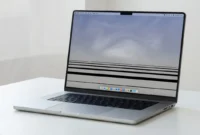
Black Lines at Bottom of MacBook Pro Screen? Here’s How to Fix It
You open your MacBook Pro, and there they are black lines at the bottom of the screen. It stops you […]

Why Does My Chromebook Keep Disconnecting from WiFi? (And How to Fix It for Good)
Before You Panic: It’s Probably Not Your Chromebook Why Does My Chromebook Keep Disconnecting from WiFi? There’s a specific kind […]

Why Is My Chromebook So Slow? Here’s How to Fix It Fast
You open your Chromebook expecting it to snap to life the way it used to. Instead, pages crawl. Apps freeze […]
How to Factory Reset Your HP Laptop (Step-by-Step for Windows 10 & 11)
Why You Might Need to Factory Reset Your HP Laptop Over the years, I have talked to many HP laptop […]
How to Turn On Developer Mode on Chromebook (Step-by-Step Guide)
What Is Developer Mode on a Chromebook? Ever since 2018 I’ve had the Chromebook in my hands, the most frequently […]
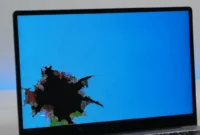
Black Spot on Dell Laptop Screen? Here’s What’s Actually Wrong and How to Fix It
What Is That Black Spot on Your Dell Laptop Screen? If you see a dark spot or discoloration on your […]
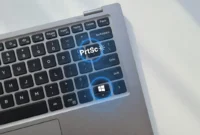
How to Screenshot on Dell Laptop: 5 Easy Ways (2026)
Quick Guide: All Dell Laptop Screenshot Shortcuts (Copy This) I know you probably just want the keyboard shortcut screenshot methods […]
How to Fix Laptop Green Screen (8 Fixes That Work)
Not All Laptop Green Screens Are the Same Find Yours First I’ve fixed dozens of laptop green screen issues over […]
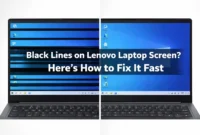
Black Lines on Lenovo Laptop Screen? Try These Fixes First
Hardware or Software? The 2-Step Test That Tells You Instantly When you see black lines on laptop screen Lenovo the […]